

Solid capture is a screen capturing application just like Techsmith’s Snagit.It gives you the power to capture everything from multiple full screens down to a single pixel of color. Capture multiple windows, drop-down menus, colors, and even text right from your screen. You can Edit, format, print, save, and e-mail your captures . Solid Capture saves images in your favorite graphics file format, including BMP, JPG, TIF, GIF, or PNG.

Features
- Color Capture so you can magnify screen images, view numeric color values, and save color swatches. By rolling your mouse over a screen area you can see graphics and text up-close and check any color's value in the format you prefer.
- Screen Resizing so that Web designers can view a browser window in different resolutions. You can switch back and forth between 1024x768, 800x600, and 640x480, ensuring that your Web site looks good in multiple sizes.
- A measurement display that lets you view the dimensions of any screen area in pixels. Using the Rectangle tool, you can check the size of any image on a screen.
Now you can Download Solid Capture 3.0 genuine License for FREE worth $ 29.95.Visit this Promo Page and submit your details like email and name etc.Check you e-mail for serial code & download instructions .

Os: Microsoft® Windows® 2000, 2003, XP, Vista® or Windows 7
PrintScreen.Me is a freeware screen capture software that provides direct links to social network sites and image hosting sites. You may also send your screen grabs to PrintScreen.Me website where you can share your images, for example on your blog. You can use PrintScreen.Me as a traditional screen capture software and save the images locally, print or email
PrintScreen.Me provides basic drawing and mark-up tools, so that you can modify the screenshot without having to go to another image editor.Taking a screenshot with PrintScreen.Me is very easy. Once the capture software is installed, just press the Print Screen key on your keyboard and a tool-bar will appear.

The screen will shade out some areas leaving the active window shown, but you can change the selection by using the selection tool.Use the drawing tools to mark up and annotate your capture. Once you have finished you can save, print or email the image.PrintScreen.Me provides direct links to Facebook, Twitter, Picasa and Flickr.
Download | Windows XP / Vista / XP X64 / Vista64 / 7| 971 KB |Freeware
Screen Capture and Image Sharing Toolkit Solid Capture version 3 contains everything you need to capture and collaborate with ease! CAPTURE ANYTHING ON YOUR SCREEN. Using our intuitive interface or a keyboard shortcut, you can capture full screens on multiple monitors, windows (fixed or scrolling), or just selected screen areas. Unique Rectangle Frame also lets you specify dimensions and save multiple captures of an identical size. EDIT, FORMAT, SHARE. Version 3 provides many ways to edit, format, and share your captures. Solid Capture saves images in your favorite graphics file format, including BMP, JPG, TIF, GIF, or PNG, which you can open in your favorite graphics program.
Features
Capture ANYTHING on your screen
- Solid Capture gives you the power to capture everything from multiple full screens down to a single pixel of color. Capture multiple windows, drop-down menus, colors, and even text right from your screen.
Edit, format, and share your captures
- Editing, formatting, printing, saving, and e-mailing your captures are all a click away. You can even create your own PDF containing your selected captures.
Simple and intuitive interface
- Solid Capture's simple design allows you to effortlessly capture your screen, sort and select previous captures, edit, print, and share with ease
Follow the steps below to get your free Solid Capture unlock code.
1.Go to this page
2.Enter your email address, name and click Register.

3. Check your email and note down the User Name, User Email, Organization and Unlock Code.
4. Download the latest version of Solid Capture v3 and install.
5. Run Solid Capture and select “I already have an unlock code and would like to unlock Solid Capture.”. Enter the exact information and you now have a fully licensed Solid Capture screen capturing software.

Thanks to Raymond
Many of us are big fans of screencasts.ScreenToaster is an easy to use screencasting application that lives in your browser.ScreenToaster is a web-based screencasting utility runs directly from your browser and it works on any OS that has the Java runtime.

Features
- Live audio capture
- Embed webcam in screen capture
- Accelerated or slow-motion playback
- Pauses during recording
- Download the completed screencast
- Redesign and improved content organization
- Personal profiles
The new version of ScreenToaster has ability to record video and audio simultaneously


Have you ever wanted to take a picture of your computer screen?Creating a snapshot isn't that difficult anymore. There are many commercial software that do this, in fact you use a screen capture tool that makes movies of everything that happens on the screen called Camtasia Studio. Techsmith the maker also creates a program called Snagit that takes still images of your computer screen.
Hoverdesk creates a free application called Hover Snap.Hover Snap is a simple to use screen capture utility that allows you to take a snapshot a your entire screen, a specific window, or a user defined area. Unlike the commercial versions it lacks image editing capabilities, but that can easily be done in other applications. It has a very small file size, and is easily configured.With HoverSnap you are able to save image files of a screen shot in multiple formats.
After the tool has been installed, you will see the HoverSnap icon in the system tray:

By right clicking on this icon, you are able to change the default settings:

You can set up the capture folder / filename and format. You can reduce the capture size. Auto-generate filename option will add the time stamp (date/time) to your filename in order to be able to take several captures without having to change the filename. Optional sound when capture is done. HoverSnap is FREE for personal use only.

SysReq:Windows (all)|328KB|Freeware

You may check here for similar screen capture utilities .
Kwout offers a FREE easy way to capture up to 600 x600 pixels of any web page then allows you to round the edges and add a shadow without opening an image editor.


By dragging a mouse on the screenshot, select an area you wish to quote, and click the "Cut Out" button.

Then the area you selected will be cut out as an image with an image map .It'll give you the appropriate code for embedding or upload it to your account of choice. You can post it directly to Flickr or Tumblr, and so on.

On Firefox, click here to install the add-on, or right-click then save as file to download it.

Google Books also has another similar useful 
ShrinkTheWeb offers a powerful and full featured free service for which all other site thumbnail providers charge a varying and substantial fee.
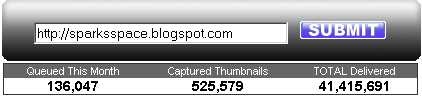
There is no charge for the basic service, users are required to create an account before using ShrinkTheWeb. You can capture a standard screenshot-style thumbnail by simply entering the desired site’s URL, or if you pay for a premium account, you have more options like specific screen capture or making a full-length thumbnail that shows the entire length of the page, from top to bottom.

In other words, ShrinkTheWeb (STW) will allow any Web master who wants to show a Web site preview to do so using our free and reliable service.


TipCam is a free screencast recorder for Windows. Record your screen and voice in a flash video (FLV format) and share it instantly at uTIPu.com or via e-mail. It's easy to use and has many features: fixed and auto-panned zooming, real-time encoding, voice-over and annotation.


- Option to save captured videos in AVI file format – Alternative video capture format allows for easy video editing using free tools, (Windows Movie Maker, VirtualDub, etc)
- Addition of 800×600 and 480×360 resolution and zoom options – Smaller video size work better for sharing on youtube.com and embedding into BLOG’s, and WIKI’s. Larger video size is available for those that require extra level of details and intend to share videos on the fast networks.

- Support for uploading videos to a specific community space – Claim your own space and create a community around your company, product or an interest group.
- Option to broadcast TipCam captured video to YouTube.com - Share your screencast with the largest video community on the Web.

- Optional countdown before recording starts - give yourself a moment to prepare.
- Option to cancel file upload - If you start uploading a video by mistake, you can now cancel the uploading without having to wait for it to complete.
- Automatic tipcam issue reporting - One click is all it takes to report potential TipCam issues to uTIPu when there is a problem.
- Optional “Help us to improve TipCam feature” - Anonymous usage statistics collection helping us to know what features you use the most.


Bug Shooting is a free screenshot utility which offers loads of features that are normally available only in commercial screenshot applications like SnagIt. "Delayed Capture" mode which available in Bug Shooting is like setting a timer for your screen captures and can be used for grabbing menus & tool-tips.It has a magnifier that enlarges the screen area and helps you place the mouse cursor at the exact location on the screen before the screenshot.

Feature:
- Capture screen
- Capture windows
- Capture screen area
- Support for multiple screen
- Edit screenshot
- crop
- resize
- add geometric shapes
- add arrows
- add text
- add images
- Save screenshot
- Combine screenshots
- Shortcuts are possible for a lof of functions
- Send of the screenshots to different bug tracker
- Multilingual (English, German)
- Custom commands: open an URL by shortcut
- Automatic update function

Requirements:
- Windows XP (x32), Windows Vista (x32)
- Microsoft .NET Framework 2.0 Tutorial


